

GARDEN
Garden is a social experience that reimagines digital relationships as a living, growing space.
Instead of asking people to always explain, reply, or perform closeness through words, Garden pays attention to the quieter signals between people: a visit, a glance, a saved post, a shared rhythm, a moment of returning.
These small gestures become plants that slowly grow, lean, fade, or bloom. Each garden becomes a soft reflection of presence, care, and the emotional texture of a relationship.
Deliverables:
Website Design
Interaction Design
User Experience
Branding

Research Insight
Online communication often asks us to be constantly clear, quick, and available. Even simple messages can become heavy: What should I say? Did I reply too late? Did they understand me?
But closeness does not only live in direct messages. It also appears in small, almost invisible gestures: checking in, noticing, returning, remembering, and staying nearby.
Research indicates that people value implicit signals (presence, attention, time-spent) more than constant messaging.
Connect & Communicate
Garden defines connection through both direct and ambient actions: messages, profile visits, likes, saves, shared time, and other low-pressure forms of presence.
Instead of turning relationships into numbers, Garden turns them into living forms that can be felt, cared for, and gently understood.
Communication Space
A shared garden becomes a calm space between two people. Each relationship grows as its own small ecosystem, shaped by rhythm, attention, distance, and care.
FROM SIGNALS TO FEELING
AI agent reads subtle interaction patterns and translates them into plant growth, movement, and condition.
The goal is not to measure relationships, but to help people notice the emotional patterns that are often left unsaid.
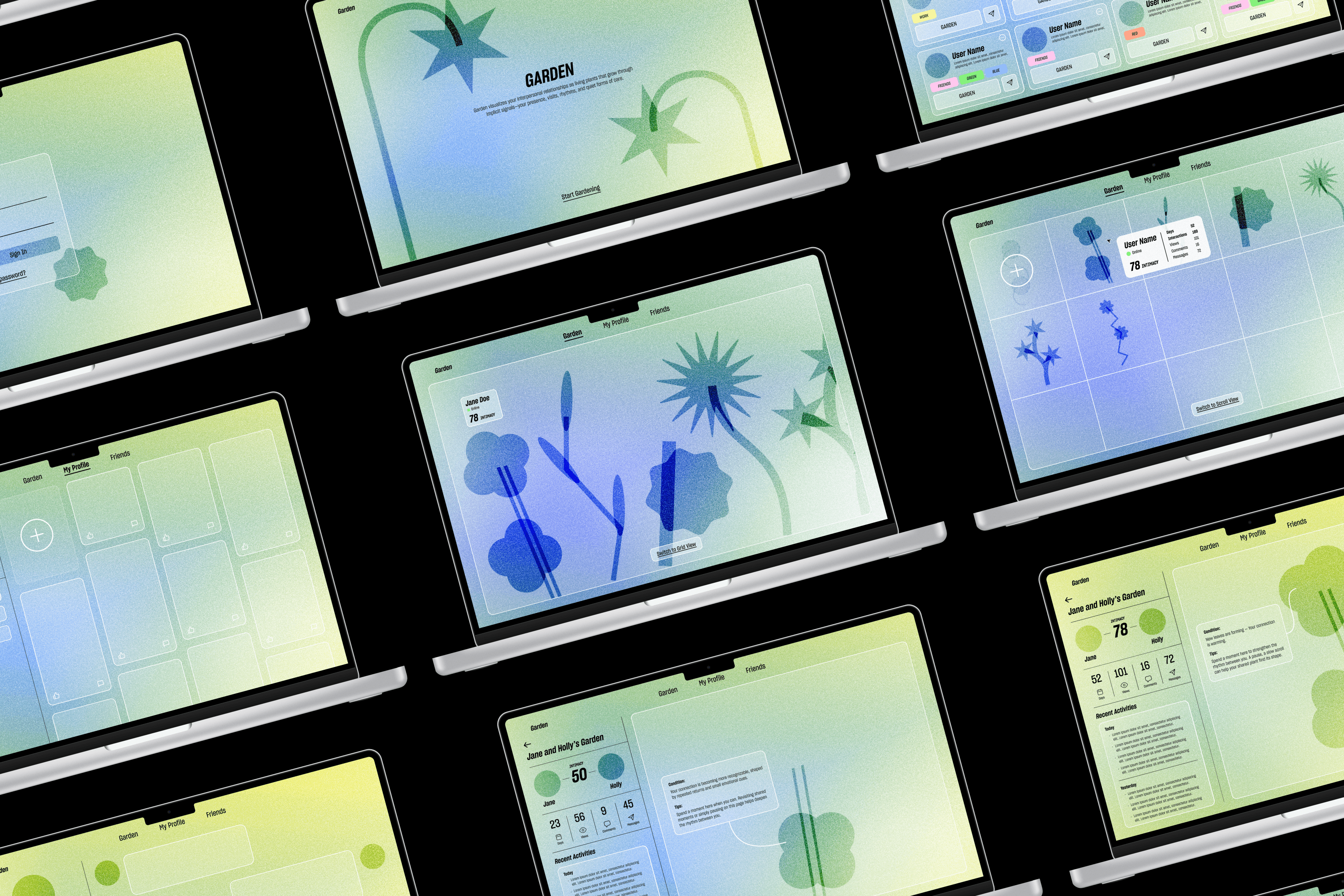
Design language
Softness
Slowness
Organic
Gentle lines, rounded corners, plant-like curves, and low-contrast colors.
Soft gradients, slow transitions, micro-interactions, and a sense of natural growth.
Branching forms, leaf-vein patterns, breathing-like motion, and ecological network shapes.
Design Iteration
Navigation Bar
Before
Contact list is hide in the hamburger menu, user had a hard time to find.
Missing “My Profile” page.


After
By adding a persistent navigation bar on the top, users found the information architecture clearer, and easier to navigate.


Information legibility
Before
Users were unsure which plant represents who, information is only available after clicking into specific plant, but missing from the Garden page. Some users wanted minimalism while others wanted full data, indicating a need for adjustable layers.

After
This version allows early preview with adjustable information deck. Scroll view hover shows only essential informations, Grid view show more data, Plant between two page show full information. Supports minimal and detailed viewing styles.


AI Instruction
Before
Users saw their connection plant wilt, but didn't know what the problem is, and what they can do to fix it.
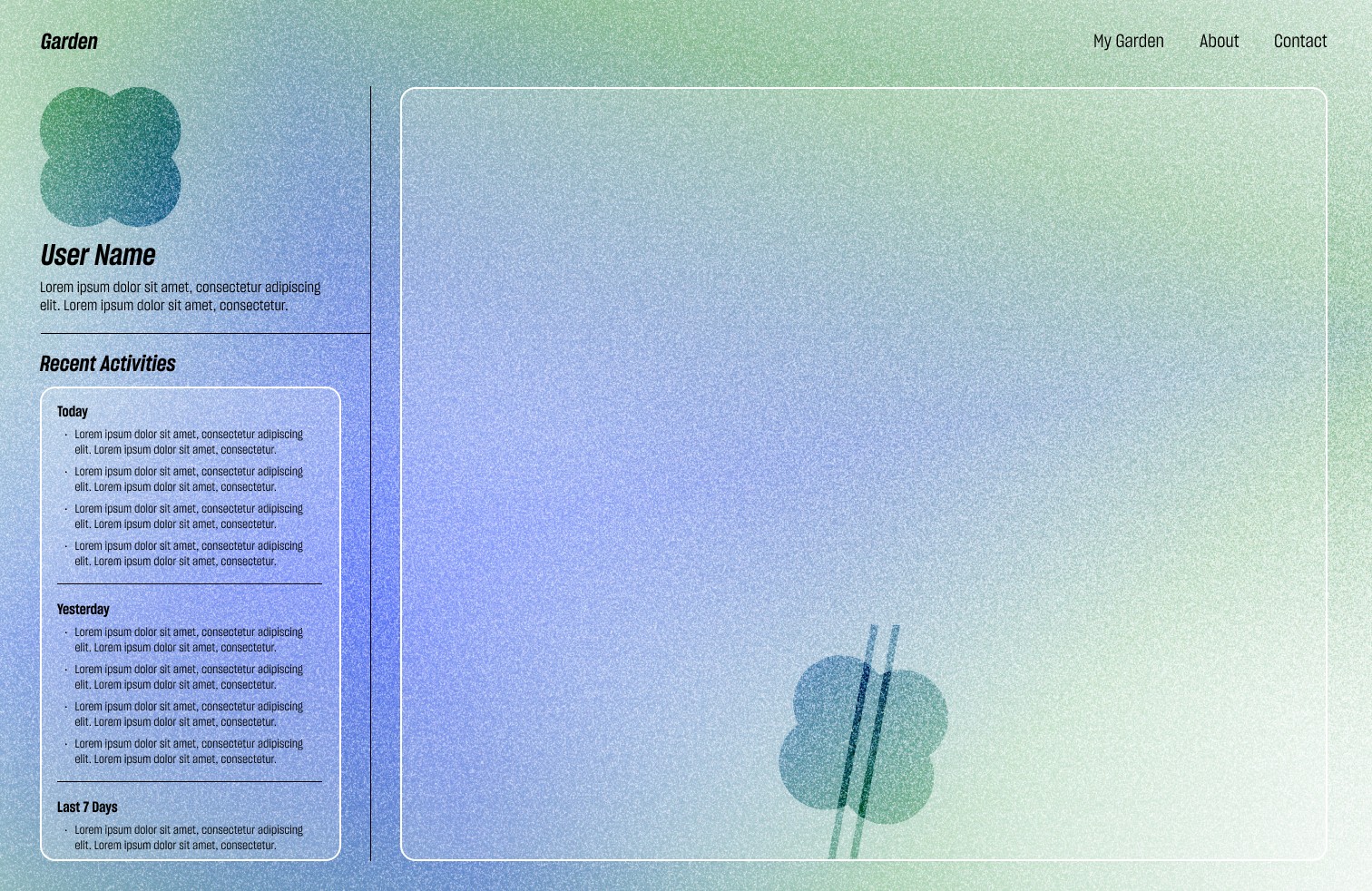

After
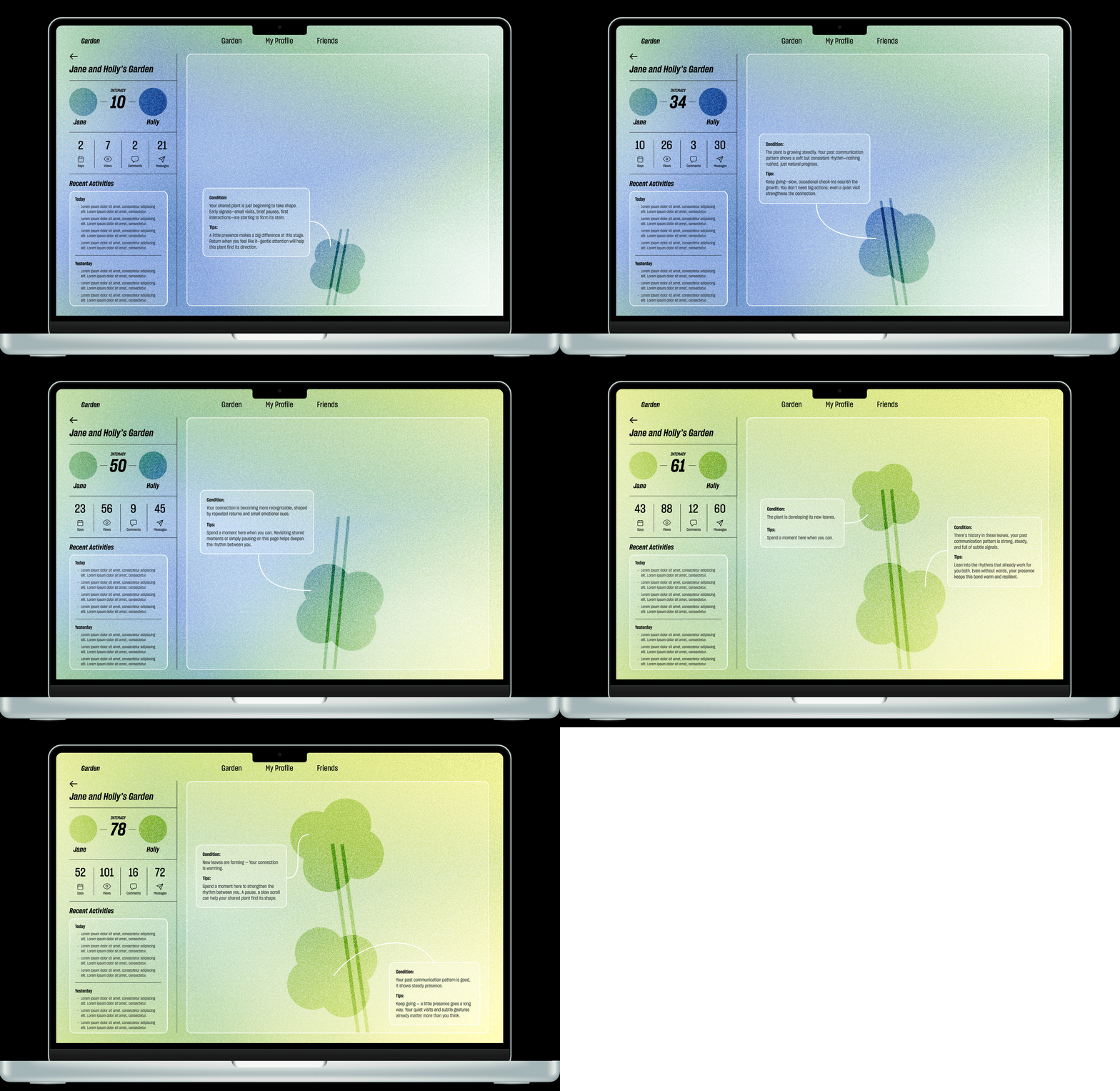
In the Garden between two page, I added data table indicating what interactions are calculated to inform plant growth. I also added AI instruction feature, it shows the plant condition and provides tips on how to improve the relationship.


Key Features
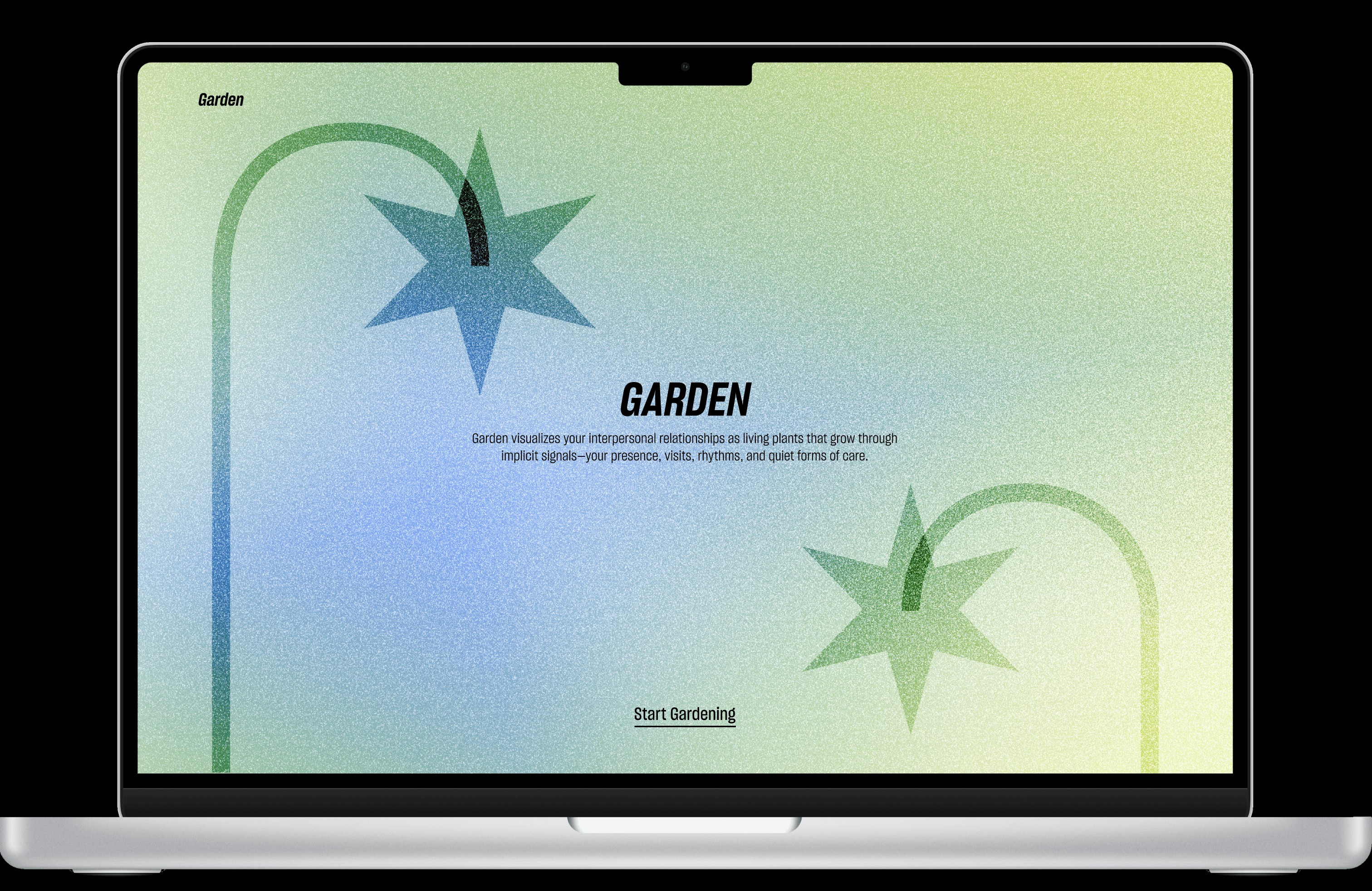

Home Page & Login
Garden welcomes users into a soft communication space where relationships are imagined as living plants.
Each plant is shaped by quiet forms of care: presence, visits, rhythms, and the small gestures that often happen before words.

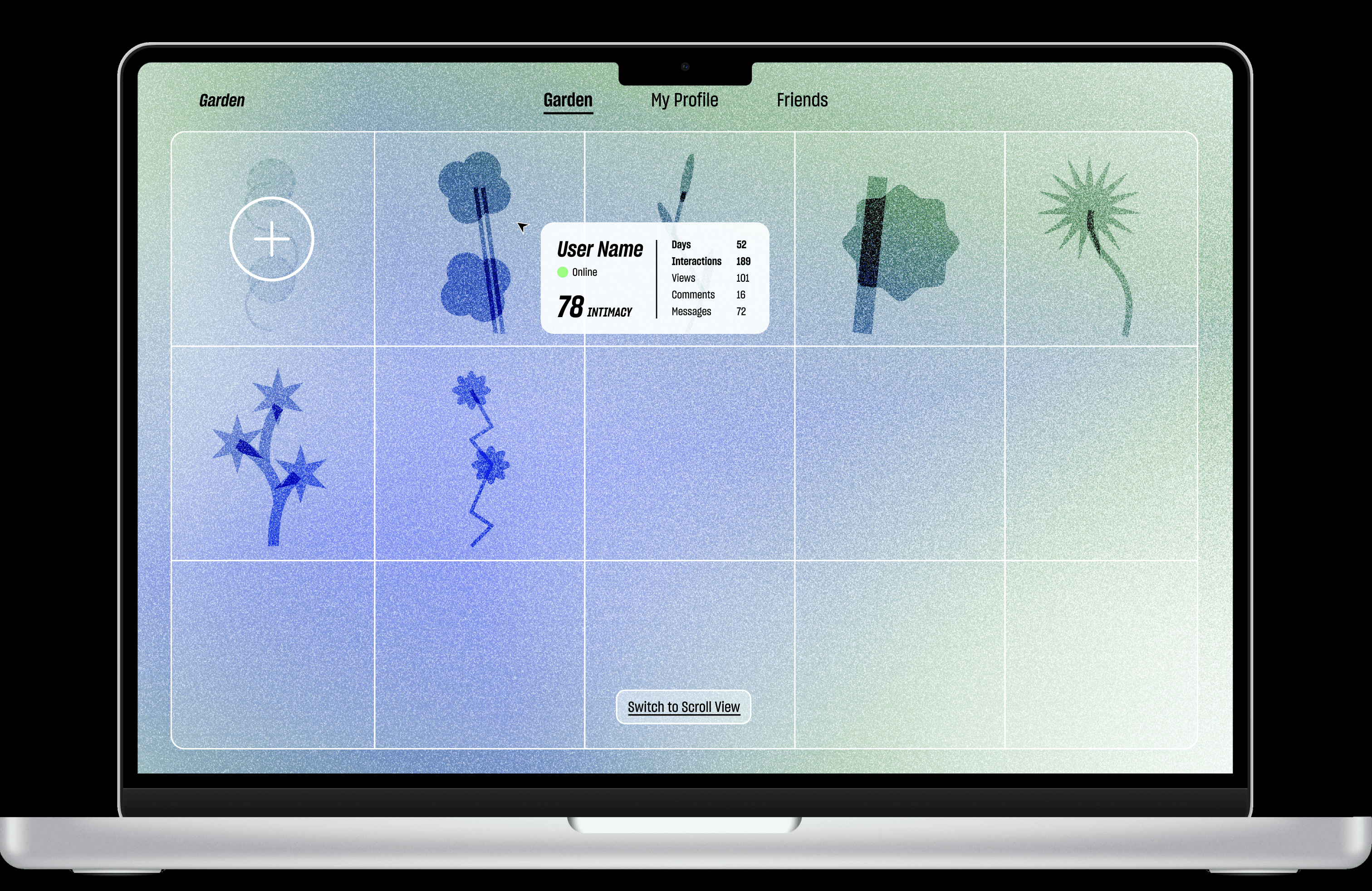
Garden Page
The Garden page gathers a user’s relationships into one living landscape.
Each connection appears as a plant with its own shape, rhythm, and condition. By hovering, users can gently check in on a friend’s presence and the current state of the relationship.
Users can move through the garden horizontally or switch to a grid view for a clearer overview.
Friends Profile
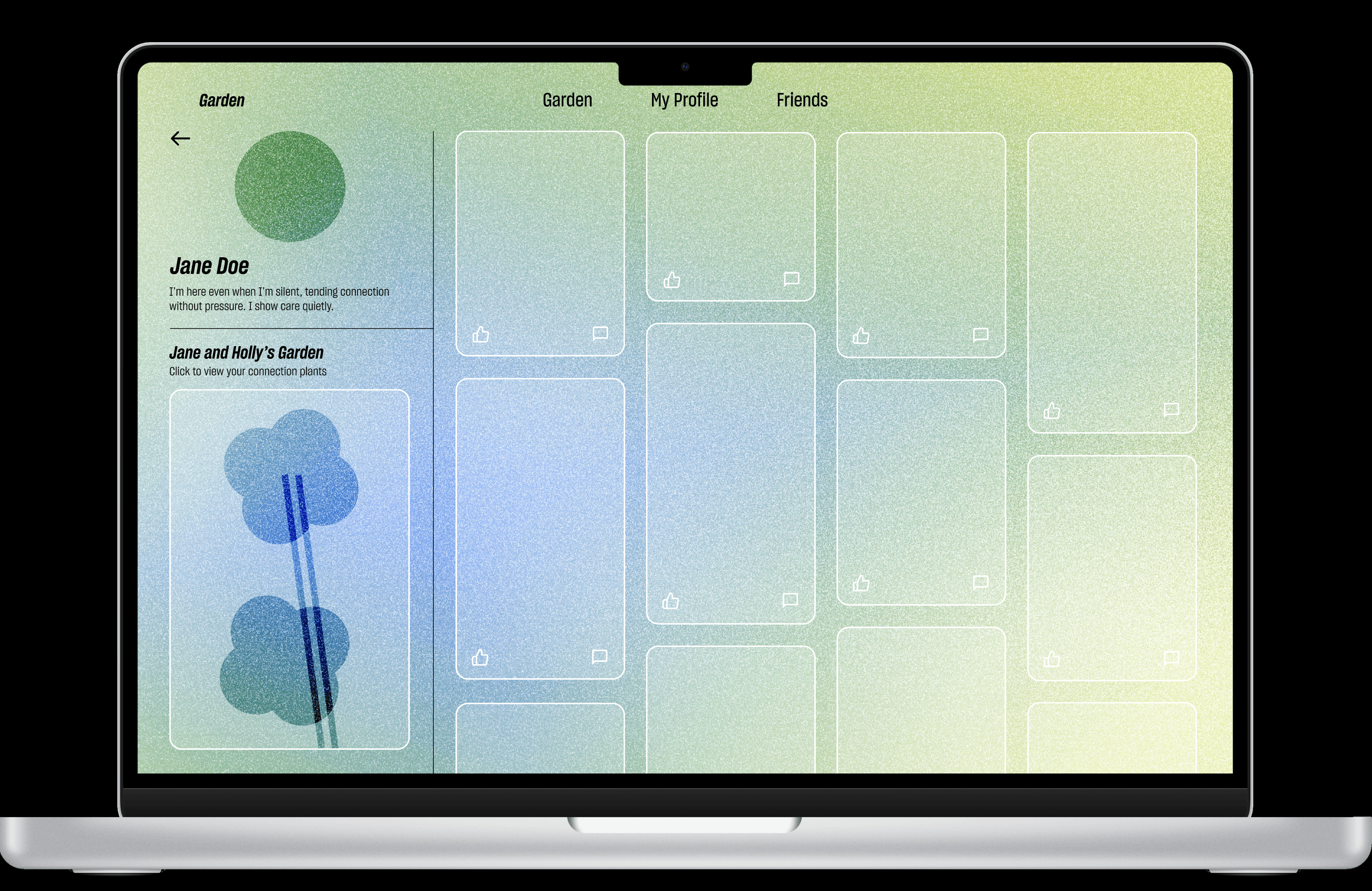
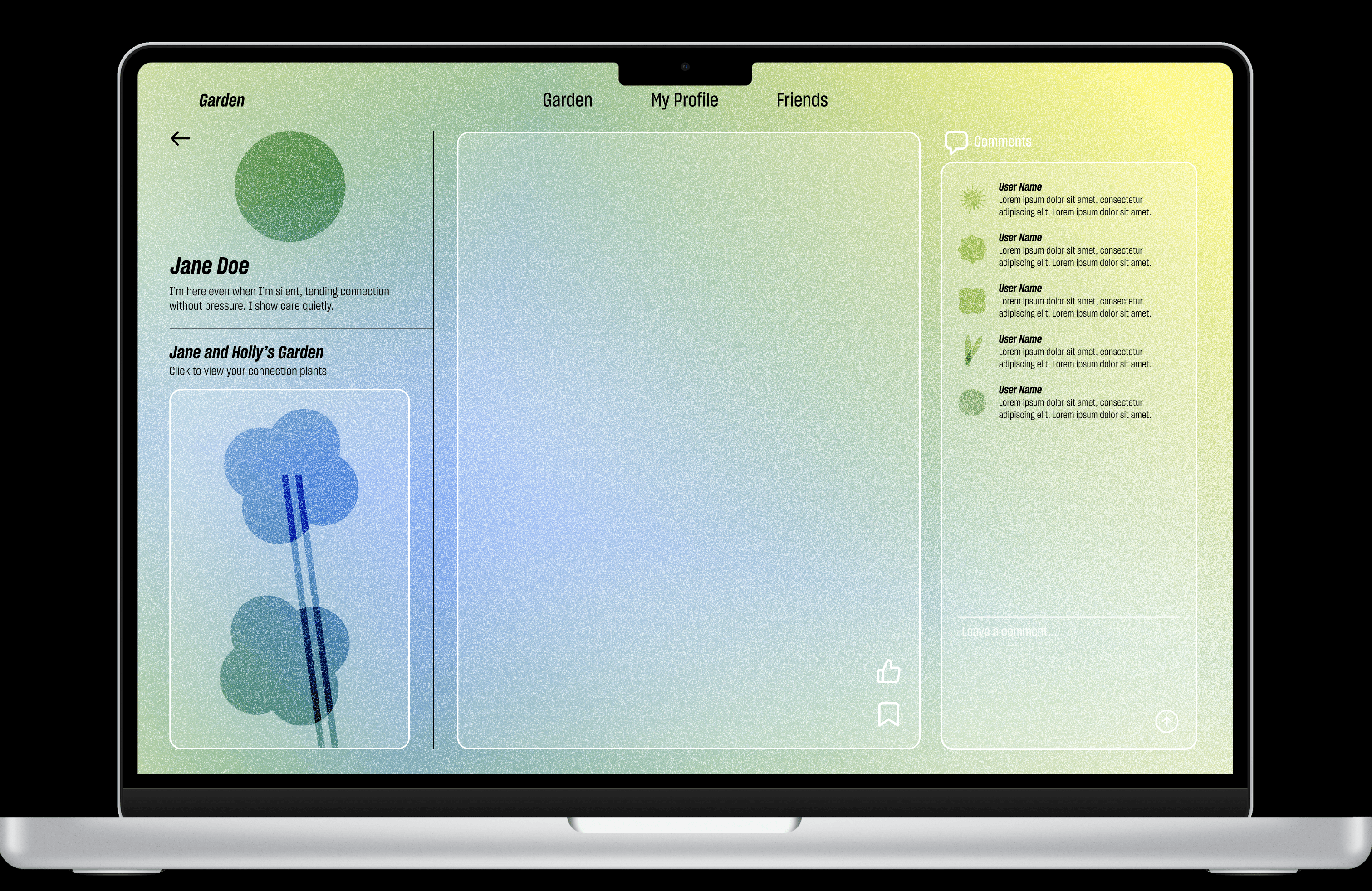
On Friend's profile page, users can view their bio, see shared connection plant, and access the connection garden via the left sidebar, while browsing her posts on the right with the newest post highlighted at the top-left. Opening the post brings up an enlarged view where users can like, save, or comment, and also read comments from mutual friends.
Plant Growth
This demo shows how small interactions gradually shape a connection plant.
Visits, messages, likes, saves, and moments of returning all leave traces. Over time, these traces influence how the plant grows, leans, and changes condition.
At each stage, Garden's AI agent offers gentle suggestions to help the relationship feel more cared for, without making closeness feel forced.
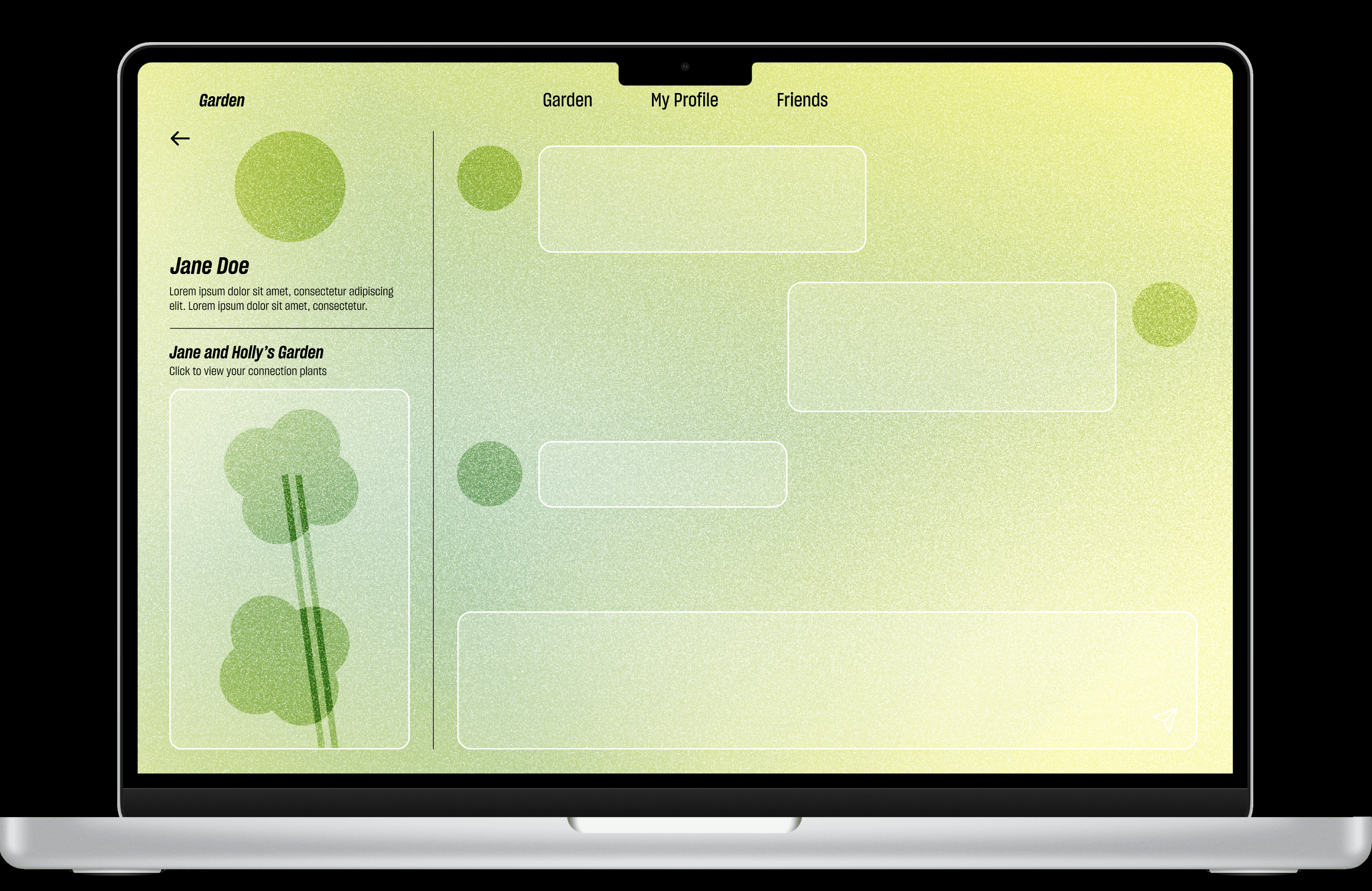
Friends Page
Contact List + Messages
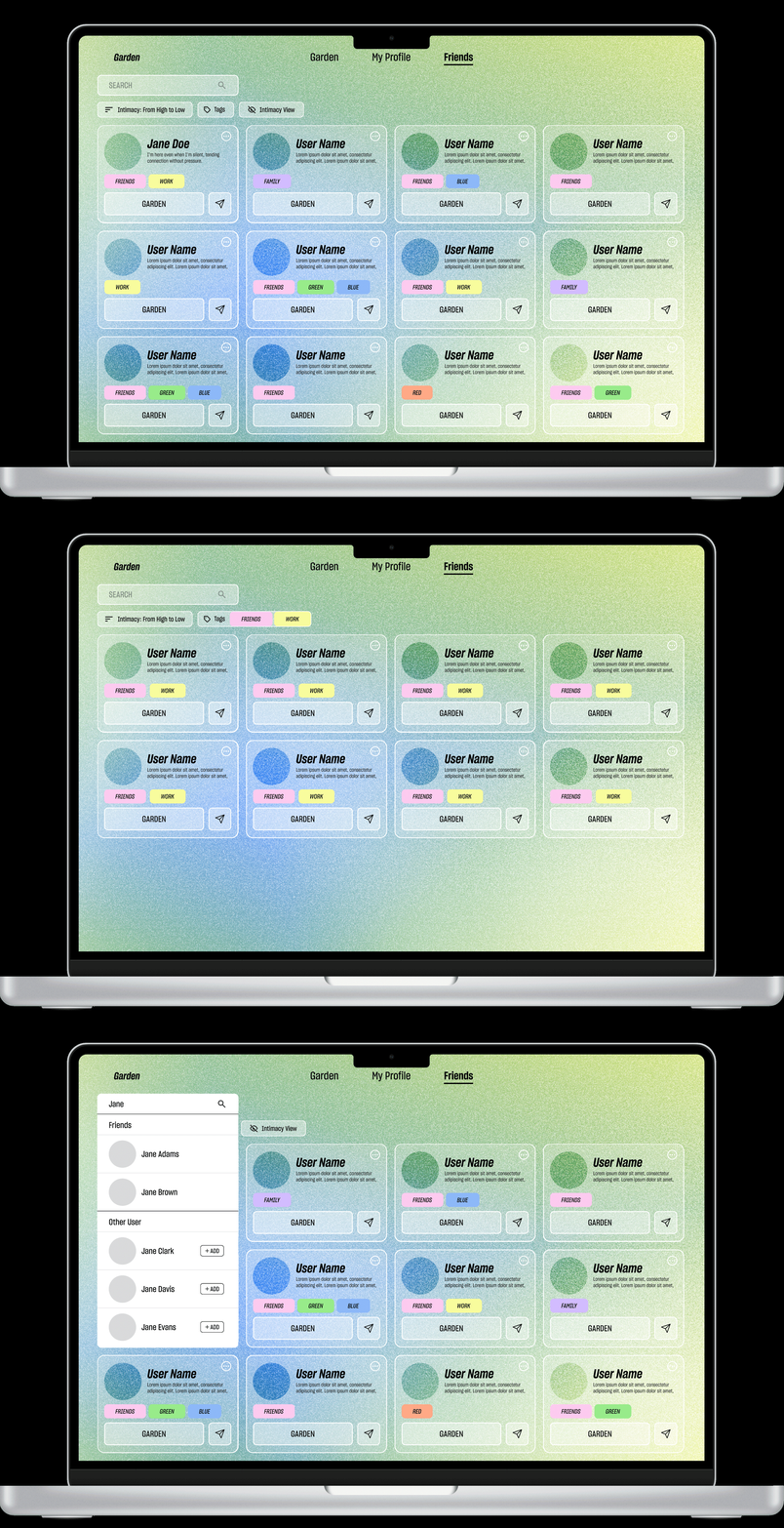
The Friends page helps users find and care for their connections.
Contacts are arranged as small cards for quick browsing. Users can search, sort by closeness or tags, open a shared garden, or send a message when they feel ready.
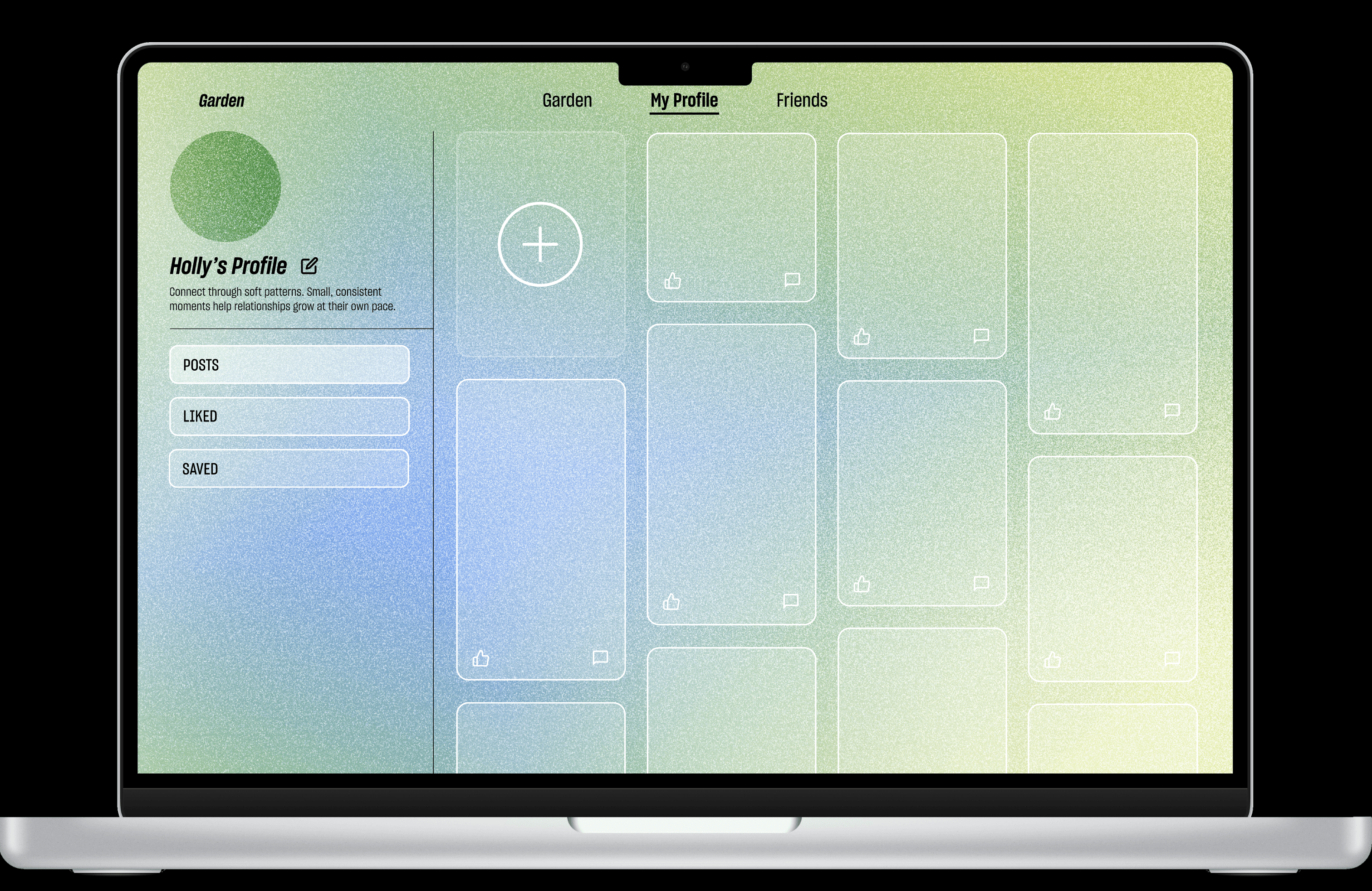
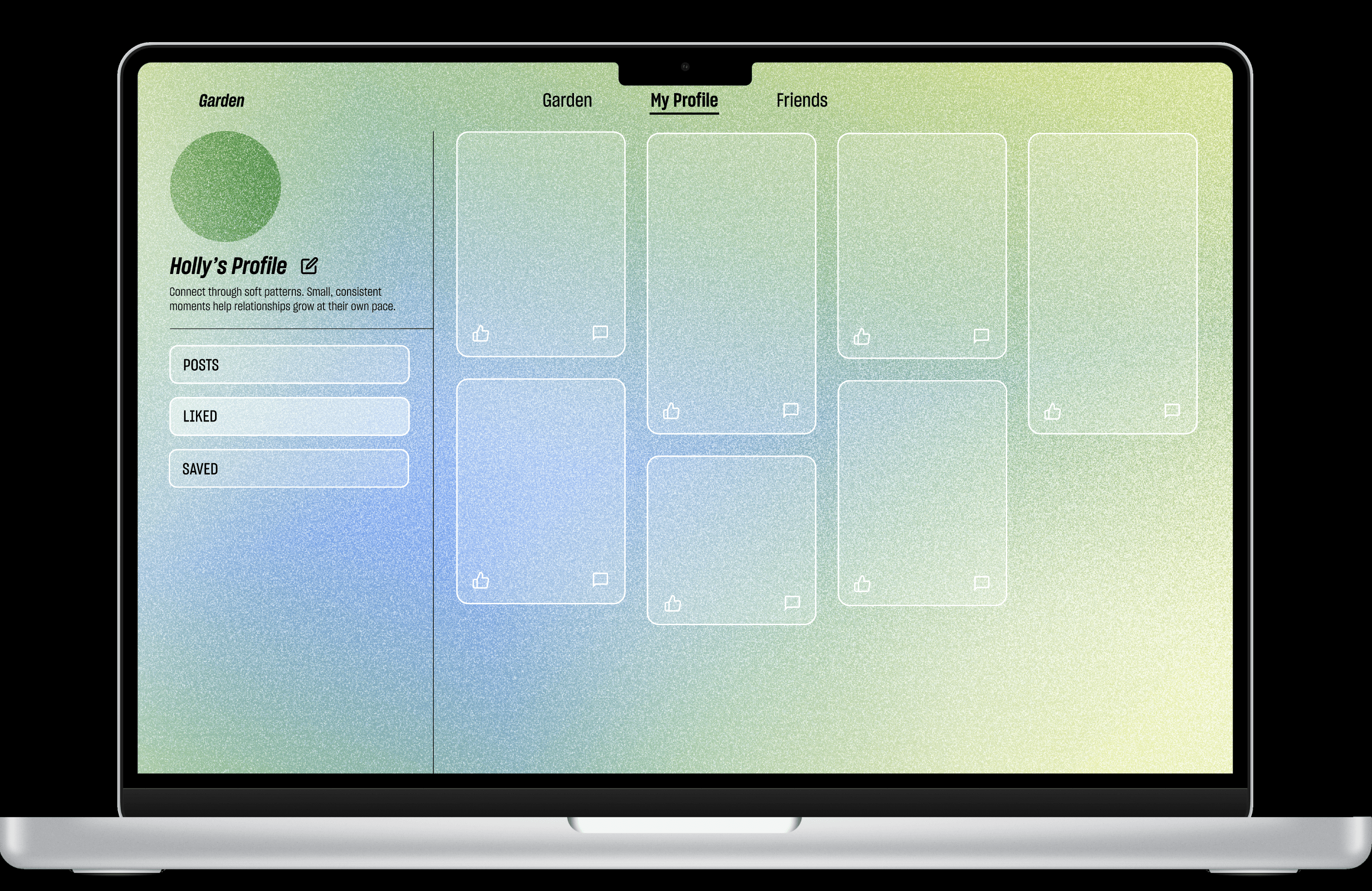
My Profile
My Profile page is where users can edit their information, revisit past posts, create new ones, and return to the posts they have liked or saved.

Reflection
User testing showed that implicit signals can feel emotionally meaningful, but they need clear guidance to be understood with comfort.
Rather than adding more features, the project needed a clearer structure: better onboarding, more legible navigation, and layered information that lets users move at their own pace.
Moving forward, I plan to refine the onboarding experience, make the garden map more playful, and introduce visibility controls so users can decide how much intimacy they want to share, notice, or keep private.
Next work
© 2026 ziruzhao.com. All rights reserved.